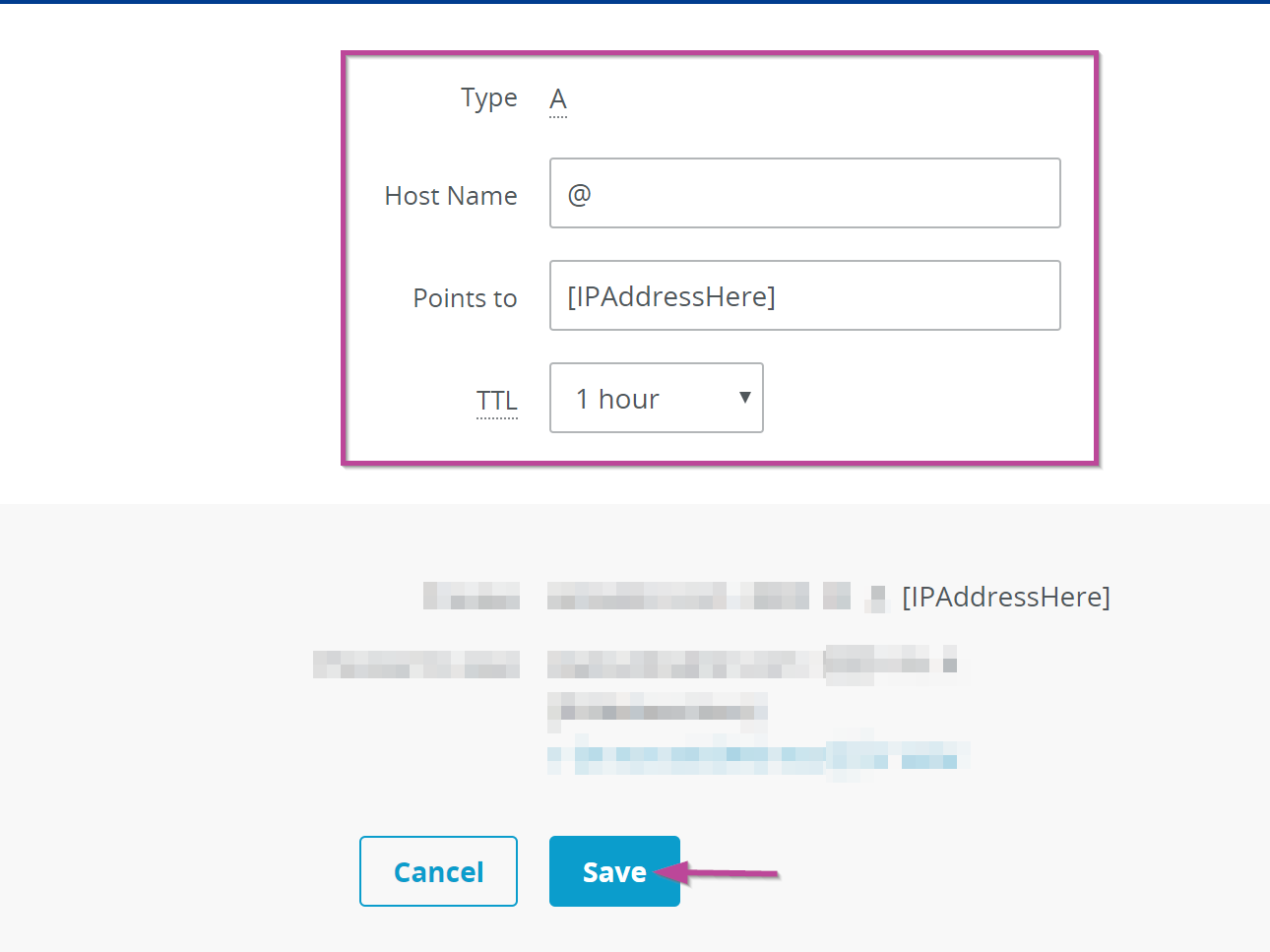
- Sign in to your 1&1 account.
- Use the drop-down arrow on the top left to select “Domains & SSL”
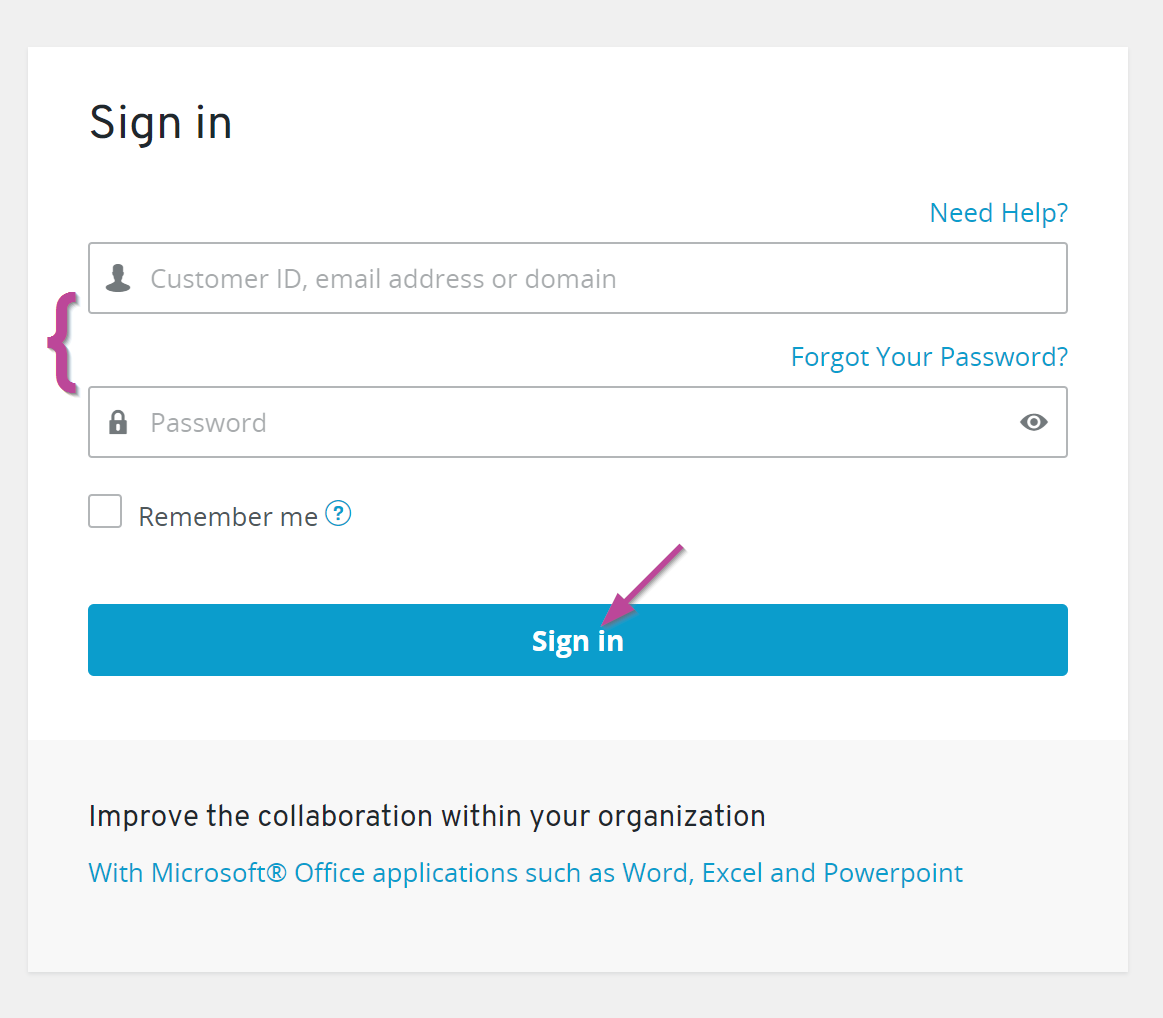
- Select the Gear icon under ACTIONS then, click on DNS
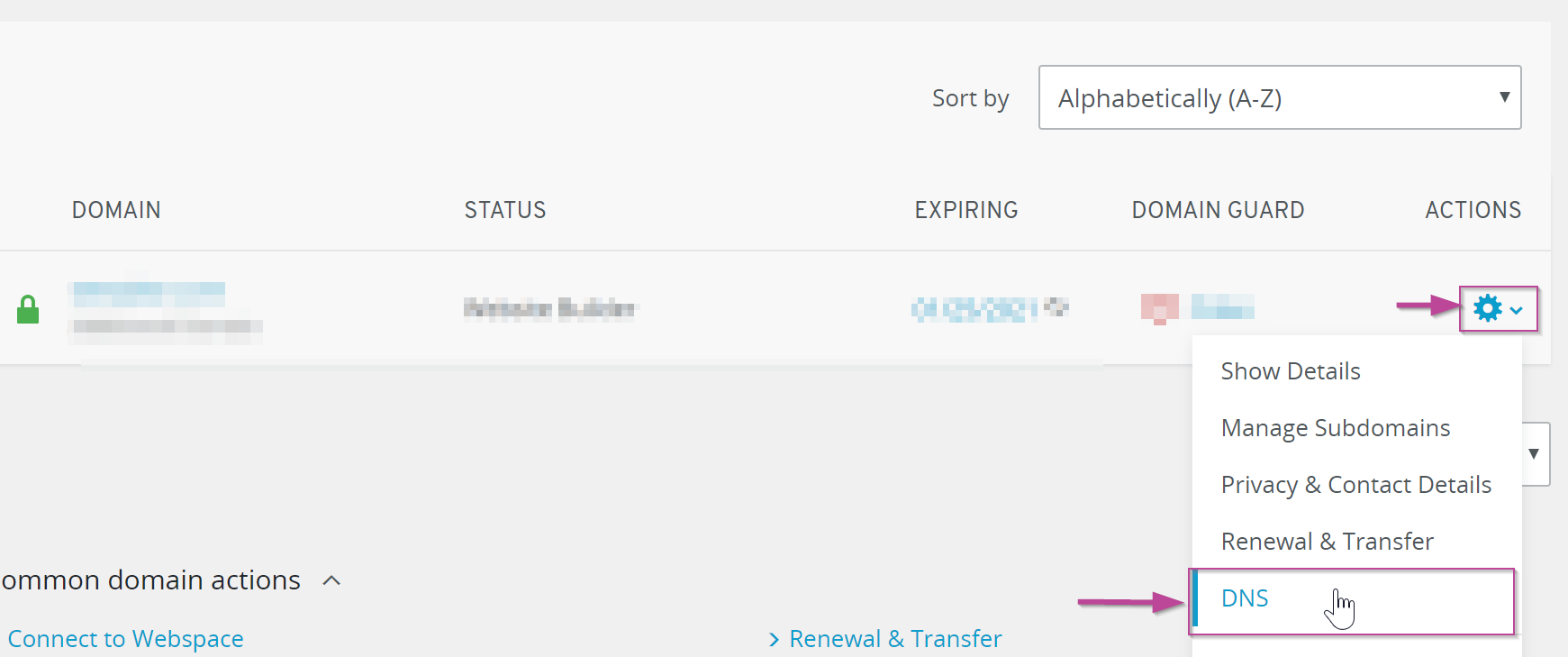
- Click the “Add record” button

- Locate “A” and select the forward arrow.
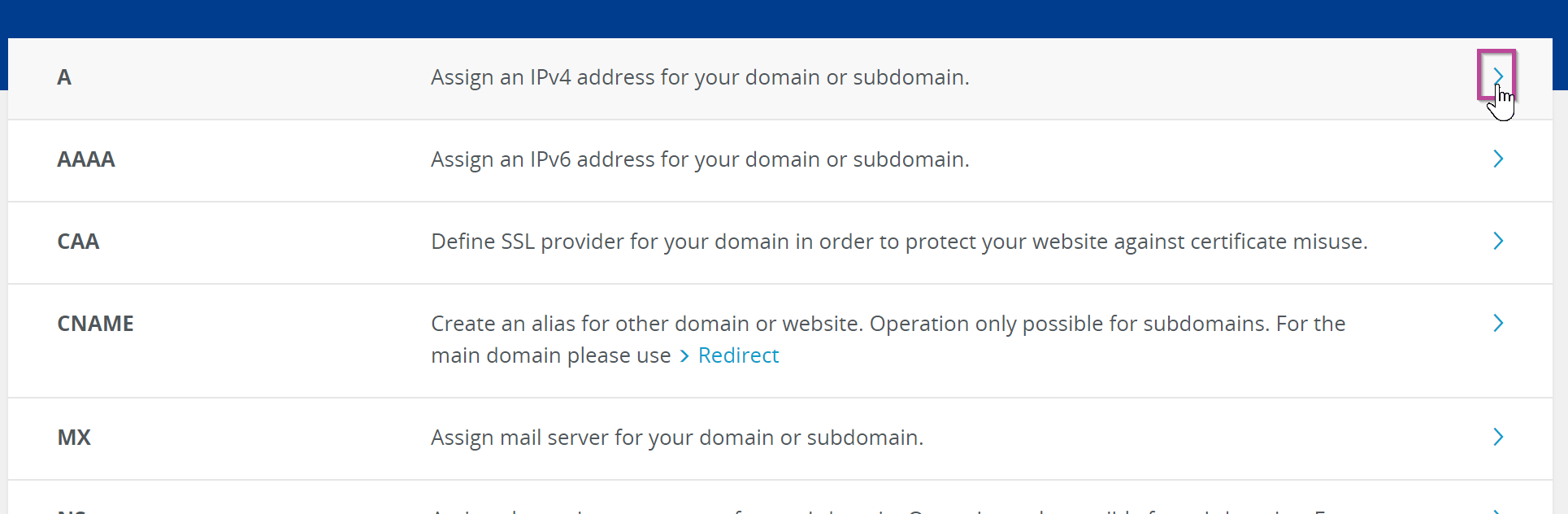
- Here you will be required to fill the following fields:
- Type: Confirm you chose A in the previous step
- Host Name: Type “@” to point directly to your unique domain name.
- Points to: Enter the IP address sent in the business activation email.
- TTL: Use the drop-down arrow to select how long the server should cache information
- Select “Save” when done.